
Information Technology Services
Client Support
Contact: Evan Doubleday
Availability: Monday-Friday, 8:30 am to 5 pm
Location: Fine Arts Office #128
Phone: 631-632-5157 or 631-632-9800
SB Southampton Hospital IT Support: 631-444-HELP
E-Mail: evan.doubleday@stonybrook.edu
Website: it.stonybrook.edu
Create a Service Ticket for Your Issue Online:
http://it.stonybrook.edu/services/itsm
Computer Services
Computer diagnosis/minor repairs
Networking assistance
Classroom AV Assistance & Training
Campus ID Cards
Equipment Rentals, Loaner Devices
Common Software
 Software
MS Office Install for Students (Windows)
MS Office Install for Students (Mac)
Softweb Site: https://softweb.cc.stonybrook.edu/
PrintING
Print From Anywhere App: Download the Install Package
Use to print directly to a SINC printer from your Mac or Windows device.
Upload a Doc to Print @ https://print.stonybrook.edu
Upload a document to the cloud to print on any SINC printer.
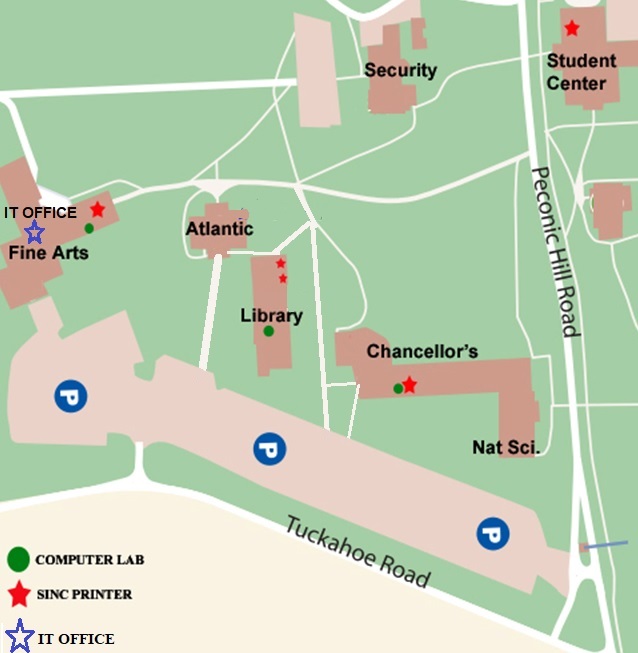
Printer Locations:
- Chancellors Hall SINC Site, Room 143
- Fine Arts Room 132
- Library Main Floor, 2 SINC Site Printers - 1 color and 1 B&W printer
- Student Center Activities Room
On The Hub: https://stonybrook.onthehub.com/
SINC Site Locations
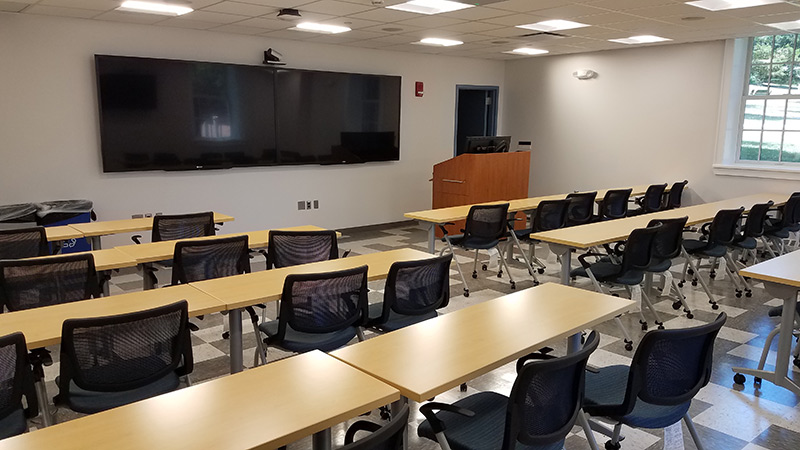
Chancellors Hall Room 143 (20 Computers)
Fine Arts Room 123 (43 Computers)